As someone who was never able to grasp coding, asking an LLM to build something then watch it come to life will never get old to me. It's particularly thrilling to see a model run locally on your own computer.
For the sake of testing + learning with my first time using AI "locally", I tried a few coding challenges, then compared performance to the free versions of the big bots.
The results will be UNSURPRISING (sorry!). But the local model was capable of a surprising amount, and turns out it really just requires a very different way of using it.
This initial test also raised a bigger question: if the free versions of Claude, Gemini and ChatGPT can already do crazy things, why bother running a model locally at all?
Getting started with a local coding model
I'm using a fairly standard MacBook M2 from 2023, which is well known for being capable of experimentation with smaller models. There are great guides on YouTube, and of course hand holding from ChatGPT etc if you want to set this up yourself. I was told to download something called Ollama, serving an AI called Qwen, using an extension called "Continue" so I could speak to it inside VS Code.

Important caveats upfront:
- This Qwen model is a super light "four bit quantised version", which is basically a condensed version built to run on cheaper computers
- I am terrible at coding and am not the best to test this model fairly.
So this is a LIGHTER AI, paired with a more INCOMPETENT humanoid.
With that said, what am I able to do with it in the space of an hour?
What better place to start than with Snake, circa Bricked Up Nokia 3210 (chef's kiss).
Test one: Can you build Snake with a single prompt
Yes.
You can preview the masterpiece here:
Click Play, then click inside the game and use the arrow keys.
Despite a bit of pain setting it up to create files automatically on my computer, I am GASSED that I can give a basic instruction to an AI running offline entirely on MY computer, and it just builds it. It would take me four weeks to produce a snake game, so I will never get over how crazy that is.
Let's push it one step further and see if Qwen can express some "creativity". What if we tell it to create the same game, but "add a unique gameplay element" to challenge the player?
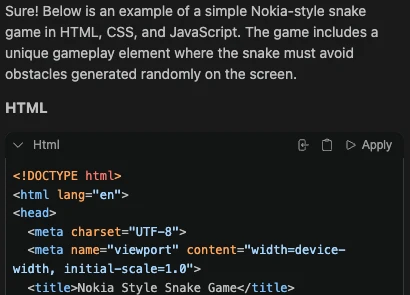
It acknowledges the request and appears to work, but when testing, nothing seems to have changed.
I can't really explain why that is, but apparently:
"the model got overwhelmed by the multi part request. It dropped the creative requirement entirely, panicked on the implementation, and fell straight back into writing a standard, bare minimum classic snake template"
Lesson: A super lightweight model like this does not like ambiguity.
Test two: Asking for a 1990s style website
This article is already getting too long so let me minimise the findings of this test.
The small AI running on my machine DOES NOT like a broad, simple prompt.
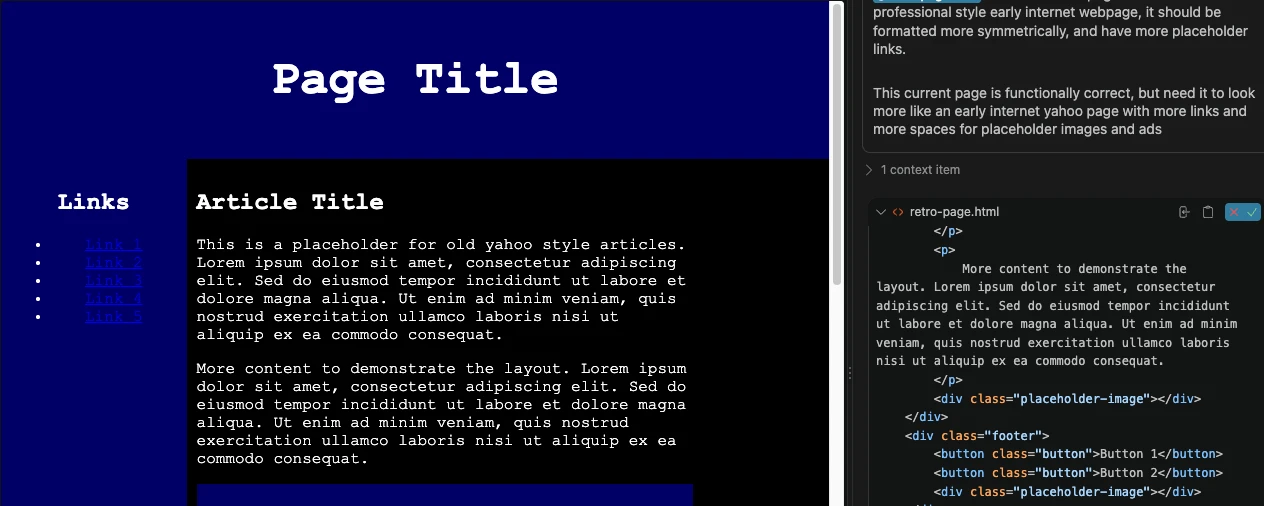
A small AI like Qwen wants precise instructions, detailed DOS and DON'TS. Any room for inference or any potential for "filling in the gaps" results in it doing as little as possible. A nightmare for people like me (and you?) who rely on the AI doing some of the leg work when we give a barely comprehensible prompt.
For the record, this is what I was looking for, and Gemini was able to produce with the same, single sentence prompt:

I am sure I could wrestle with Qwen to get there in the end, given enough time and knowledge of terms like "modern CSS" and "flexboxes" vs "old school HTML table structures". But I don't, so I didn't, and we are time constrained.
Lesson: Lightweight models benefit from some knowledge behind the prompt, with instructions on what to do, and what NOT to do.
Test three: Build a bigger game
Qwen wasn't successfully building my web page, so there's little doubt asking it to build a more advanced app will fail, but I wanted to give it a try giving instructions broken down over multiple prompts to see if it can do it in stages.
A little grid based strategy game with some basic elements should be a good test, as it has a few distinct parts that need to come together that a model needs to keep track of.
So break the request into stages: 1. start with the basic game structure, then 2. add the grid + introduce the resource systems and 3. build the game loop.
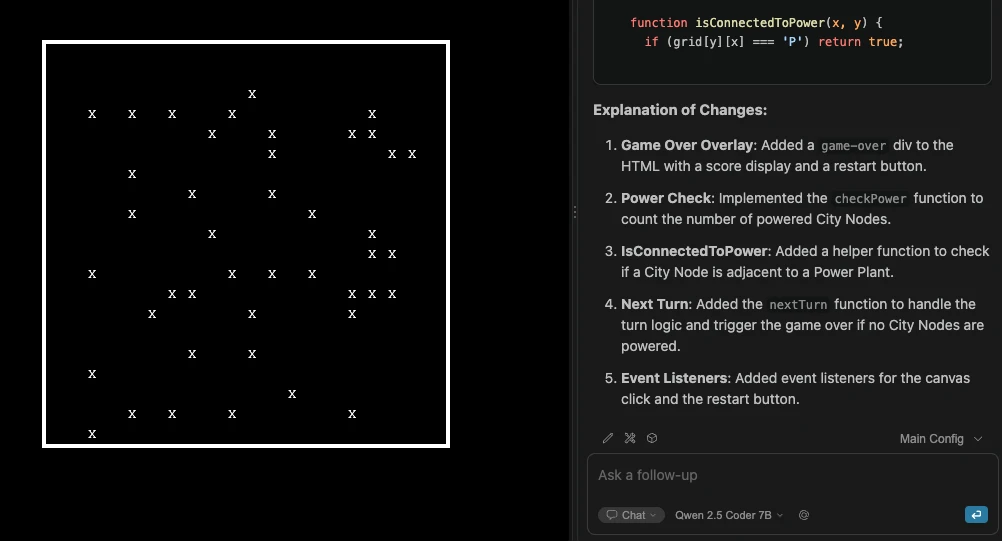
Buuut it only produced this mess, and I wasn't able to get it working within the hour. Interestingly I hadn't seen "hallucinations in a long time" using the big boys like ChatGPT or Claude, so was interesting to see them again here.
The problem really though, is I can't see where it is failing, and I can't give specific feedback on certain lines of code. I am the issue, me the idiot, as I can't direct the bot into producing an idea that only exists in my head..
Lesson: Without a way to incrementally test what is being built, you cannot shape it.
How do the free models compare?
Predictably, the frontier bots whipped up something v impressive from a single, basic prompt (literally: build a small, grid based power management game in HTML).
fwiw:
- Gemini was the fastest, but also produced the least functional version.
- ChatGPT made roughly the same thing, but prettier and with a proper "game over" state.
- Claude was a little different. It created a working game, but hit the free usage limit while it was testing and delivering the result. (Claude, typically, the overachiever)
You can test yourself with the results below:
Each game includes its own instructions. Scroll inside the game to reach all controls. Switching models resets the game.
If nothing else, this was a good reminder just how powerful the frontier models are. Ridiculously, to me, this was all made available on the free plans. If the local models are something comprehensible, something I can understand the cost of (like the hardware purchase, electricity bill, etc), I CANNOT comprehend a future where the frontier models are able to offer the same level of access for free much longer. Surely more and more restrictions will be placed over time, starting as soon as 2027?
Why smaller local models struggle with bigger projects
These tests were unfair in hindsight, and I want to try a better comparison soon.
A local model can be good at writing an isolated few lines of Python, translating code from one language to another, or producing a single block of HTML. These tasks have relatively clear boundaries, and most sensible people would tell you that my tests were naive (stupid).
Anything abstract requires a model to make decisions about architecture, styling, rules, user interactions.. AND how everything fits together.
Actually, this doesn't mean a small local model is incapable of building an app, it just means you need to change the way you work with it. Someone with app development knowledge would get a lot of value out of the smaller models.
So why use a local AI installed on your machine?
We've barely scratched the surface in these tests, I haven't really tested regular chat functions, research + planning, summarising docs, specific agentic roles (eg helpdesk).. The list goes on. There are a million use cases for using an AI on your system.
For one, there is something genuinely satisfying about DIYing and watching it work, offline, disconnected from everything. You can see where the computation is happening, you get a real understanding of the memory costs.. you can experiment with parameters, try different versions of models, watch how it uses your computer's resources and learn what makes it work.
For two, PRIVACY. When you run it locally, everything stays on your machine (assuming the surrounding tools are not sending that data elsewhere). We joke about wanting to hide "sensitive" things, but data collection is so pervasive, and how our data is used can be so perverse, we should all be working towards making things LESS shareable with the big corporations.
And what about the future? We don't know what access to AI will look like over the next five years. Models may become cheaper and more capable, and free plans may continue to improve… Or it could go the other way, where usage and availability become scarce, and locked behind a prohibitively costly paid service.
There is a non zero percent chance that access to AI will be limited to a very small group of people, who reap all the benefits while everyone else misses out.
I encourage everyone to install any local AI on their machine and play around with it. Even if you ultimately decide the web services are better for you, the knowledge you carry forward will be invaluable (especially around saving tokens $$$)
Finally, if you read this, thank you! I will try another, more useful, less wasting of your time test next. In the meantime, I would love to hear if you install a local AI, or how it is going for you if you're ahead of me :)